Updated: September 23, 2026 · Research-based buying guide
Affiliate disclosure: XpertXbox may earn a commission when you buy through links on this page, at no extra cost to you. Affiliate relationships do not determine our rankings. Prices, layouts, seller availability and switch options can change.
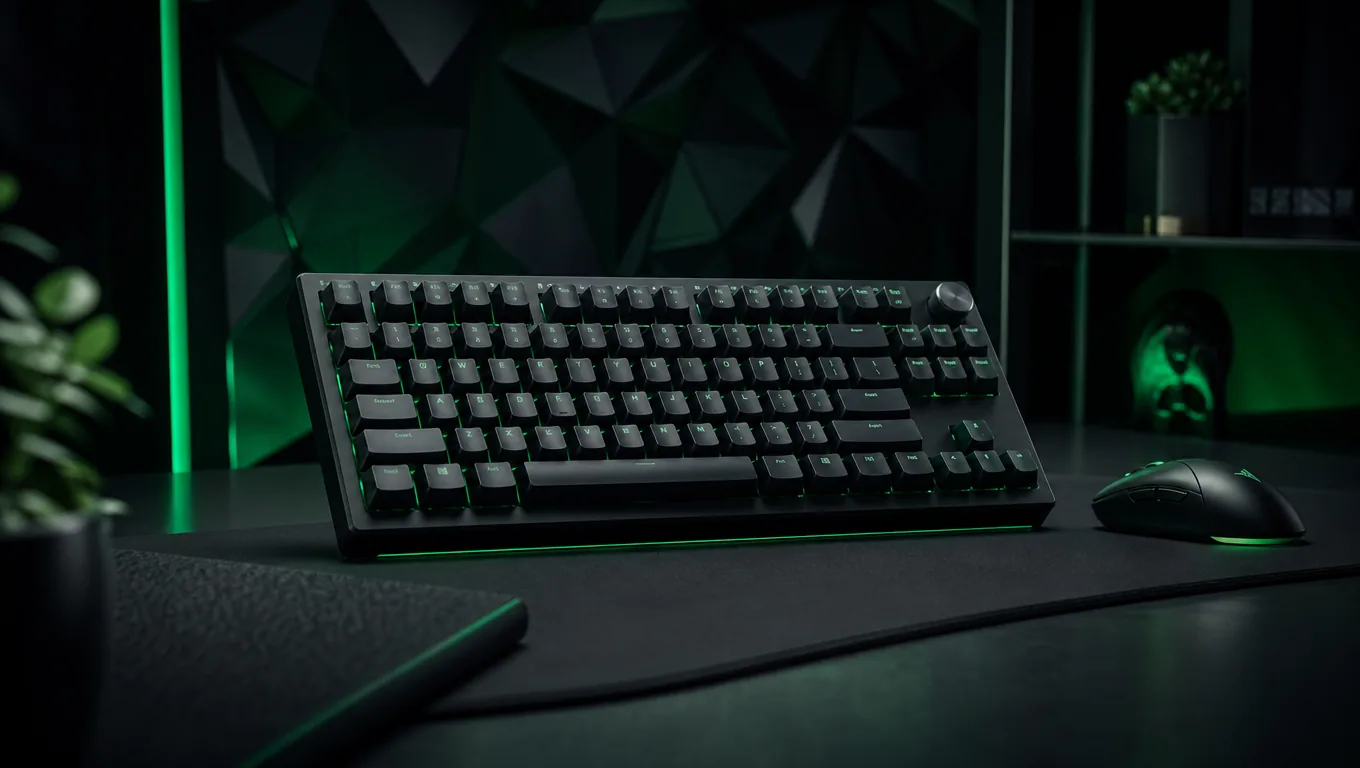
The best gaming keyboard is not simply the model with the highest polling rate. It should match your game library, desk space, switch preference and need for dedicated controls. Rapid-trigger boards can help competitive movement, while a well-built conventional mechanical keyboard may be the smarter choice for mixed gaming, work and long-term switch flexibility.
We compared eight primary keyboard recommendations across analog optical, Hall-effect magnetic and traditional mechanical categories. We also include the AULA F75 as a lower-cost wireless 75% alternative for buyers who value tri-mode connectivity more than adjustable magnetic actuation.
Quick picks
Gaming keyboard comparison
| Keyboard | Best for | Layout | Switch and connection | Main trade-off |
|---|---|---|---|---|
| Razer Huntsman V3 Pro TKL 8KHz | Competitive FPS | Tenkeyless | Analog optical, wired | Expensive and PC software adds value |
| Wooting 80HE | Hall-effect tuning | 80% | Lekker magnetic, wired | Availability and direct-order model |
| SteelSeries Apex Pro TKL Gen 3 | Easy rapid-trigger profiles | Tenkeyless | OmniPoint magnetic, wired | OLED and software increase cost |
| Logitech G Pro X TKL Rapid | Simple esports setup | Tenkeyless | Magnetic analog, wired | No wireless mode |
| Corsair K70 Pro TKL | Feature-rich competitive use | Tenkeyless | MGX Hyperdrive magnetic, wired | iCUE needed for deeper configuration |
| Razer BlackWidow V4 Pro 75% | Wireless and hot-swap | 75% | Mechanical, 2.4GHz/Bluetooth/wired | Heavy and premium priced |
| Keychron Q1 HE 8K | Premium aluminum HE build | 75% | Magnetic, 2.4GHz/Bluetooth/wired | Very heavy and complex |
| HyperX Alloy Origins Core | Budget mechanical gaming | Tenkeyless | Mechanical, wired | No adjustable actuation |
| AULA F75 | Budget wireless alternative | 75% | Mechanical, 2.4GHz/Bluetooth/wired | No Hall-effect adjustable actuation |
How we selected these keyboards
We compared current manufacturer product pages and support documentation available for the main ranked recommendations. Selection factors included layout, switch technology, adjustable actuation, rapid-trigger support, connection modes, onboard configuration, build, keycap or switch serviceability, and realistic use beyond headline polling figures.
The AULA F75 is included separately as a researched budget wireless alternative rather than being added to the eight-product ranking. Its exact AliExpress listing, model identity, available connection modes and seller business information were checked before adding the affiliate destination.
This is a research-based guide. We do not claim personal testing unless specifically stated. Switch feel, sound and comfort are subjective, while manufacturer latency statements use controlled conditions. Check the exact regional layout, switch option, current seller, warranty and return policy before ordering.
The 8 best gaming keyboards in 2026
1. Razer Huntsman V3 Pro Tenkeyless 8KHz
The Huntsman V3 Pro Tenkeyless 8KHz is our overall competitive recommendation because it combines a practical arrow-key layout with Razer’s current analog optical platform. Adjustable actuation and Rapid Trigger let movement keys reset according to travel rather than a fixed mechanical reset point, while Snap Tap is intended for fast directional changes in supported competitive play.
True 8,000Hz polling is available, but it should not be the only buying reason. The meaningful advantages are the per-key actuation control, onboard adjustments and compact space for mouse movement. Software and game rules matter: some competitive features may be restricted by specific games or tournaments, so players should confirm current policies.
Best fit: Competitive PC players who want rapid trigger and adjustable actuation without losing arrow keys and the function row.
Pros
- Analog optical adjustable actuation
- Rapid Trigger and Snap Tap
- True 8,000Hz polling
- Compact TKL layout
Cons
- Premium price
- Wired only
- Advanced features are mainly PC-focused
2. Wooting 80HE
The Wooting 80HE is the enthusiast choice for buyers who want extensive Hall-effect tuning in a compact layout. Wooting combines magnetic Lekker switches with adjustable actuation, Rapid Trigger, analog input options and an 8,000Hz scan-and-polling implementation. Its 80% layout retains the navigation cluster while leaving more mouse room than a full-size board.
Wootility is a central advantage because it can configure the keyboard through a web interface on supported browsers, reducing dependence on a large always-running software suite. The trade-off is purchasing: regional stock, shipping time and case configuration can be less straightforward than buying a mainstream retail keyboard locally.
Best fit: PC enthusiasts who will tune actuation and rapid-trigger behavior and are comfortable ordering through Wooting’s sales system.
Pros
- Deep Hall-effect configuration
- Synchronized 8,000Hz scanning and polling
- Useful 80% layout
- Browser-accessible Wootility configuration
Cons
- Availability can be less predictable
- Mostly aimed at PC tuning
- Premium cases increase total cost
3. SteelSeries Apex Pro TKL Gen 3
The Apex Pro TKL Gen 3 is the accessible Hall-effect alternative for buyers who want named gaming features and an onboard display. SteelSeries provides adjustable OmniPoint magnetic switches with 40 actuation levels, Rapid Trigger, Rapid Tap and Protection Mode. The TKL layout keeps dedicated arrows and navigation keys.
The small OLED screen can display settings and system information without opening the desktop app for every change. SteelSeries GG provides deeper profiles, lighting and key behavior. That ecosystem is convenient, but buyers paying only for basic typing and standard RGB will not use much of the hardware’s value.
Best fit: Competitive players who want rapid-trigger presets, an onboard display and a familiar retail support channel.
Pros
- Wide adjustable actuation range
- Rapid Trigger, Rapid Tap and Protection Mode
- OLED status display
- TKL layout balances space and controls
Cons
- Premium cost
- Software adds complexity
- Wired model lacks multi-device flexibility
4. Logitech G Pro X TKL Rapid
Logitech’s Pro X TKL Rapid is a focused magnetic-switch keyboard developed around competitive profiles rather than wireless portability. It offers adjustable actuation, Rapid Trigger, multi-point actions and LIGHTSYNC RGB in a standard tenkeyless frame. Logitech specifies a light 35g actuation force for its analog switches.
On-the-fly controls help with basic adjustments, while G HUB unlocks detailed key behavior and lighting. Unlike the similarly named Pro X TKL mechanical wireless model, the Rapid version is wired. Buyers must check the exact product name because retailer listings can place both keyboards close together.
Best fit: Logitech G users who want a conventional TKL shell with magnetic switches and do not need wireless operation.
Pros
- Magnetic analog switches
- Adjustable actuation and Rapid Trigger
- Familiar TKL arrangement
- Onboard configuration options
Cons
- Wired only
- Easy to confuse with the wireless mechanical model
- G HUB required for deeper setup
5. Corsair K70 Pro TKL
The K70 Pro TKL brings Corsair’s MGX Hyperdrive magnetic switches to a compact competitive layout. Adjustable actuation, Rapid Trigger and FlashTap provide the directional and reset behavior expected from a current Hall-effect gaming board. Dedicated media controls and a volume dial make it more convenient outside matches than minimalist esports designs.
Corsair iCUE handles profiles, RGB and advanced key settings. That is useful for an existing Corsair setup, but it is another desktop software layer for buyers who want a configuration that never depends on an app. The board is wired and aimed at a fixed gaming desk rather than multi-device travel.
Best fit: Competitive PC players already using Corsair iCUE who also want dedicated media controls.
Pros
- Adjustable MGX Hyperdrive switches
- Rapid Trigger and FlashTap
- Dedicated media controls
- Compact TKL footprint
Cons
- Wired only
- Deeper features depend on iCUE
- Premium over standard mechanical boards
6. Razer BlackWidow V4 Pro 75%
The BlackWidow V4 Pro 75% is the premium mixed-use option for buyers who prefer traditional mechanical switches, wireless connections and hot-swap serviceability over adjustable magnetic actuation. Razer combines HyperSpeed 2.4GHz, Bluetooth, wired operation, an OLED display, command dial and a compact 75% layout.
Hot-swappable sockets allow compatible mechanical switches to be replaced without soldering, which is valuable for sound tuning and repairs. This is not a lightweight travel board: the display, aluminum construction, controls and battery add size and cost. Razer Synapse is also central to advanced display and lighting features.
Best fit: Buyers who want one premium keyboard for wireless gaming, multiple devices and mechanical-switch customization.
Pros
- Three connection modes
- Hot-swappable mechanical switches
- OLED display and command dial
- Compact but functional 75% layout
Cons
- Heavy and expensive
- No Hall-effect adjustable actuation
- Advanced features are Synapse-focused
7. Keychron Q1 HE 8K
The Keychron Q1 HE 8K is for buyers who want Hall-effect gaming functions inside a heavy custom-keyboard-style aluminum case. It combines adjustable actuation, Rapid Trigger and additional magnetic key behaviors with a double-gasket design, PBT keycaps and three connection modes.
The full-metal chassis makes it stable and acoustically substantial, but it is not portable. Wireless polling and battery behavior differ from the headline wired 8,000Hz mode, so buyers should choose the connection for their actual use. Keychron Launcher provides browser-based configuration, while the exact layout and switch compatibility must be checked before modification.
Best fit: Enthusiasts who want premium aluminum construction, wireless flexibility and magnetic gaming features in one 75% board.
Pros
- Full aluminum double-gasket construction
- Hall-effect adjustable actuation
- Three connection modes
- Browser-based configuration
Cons
- Very heavy
- Premium price
- Magnetic hot-swap compatibility is switch-specific
8. HyperX Alloy Origins Core
The Alloy Origins Core is the practical standard-mechanical recommendation. Its tenkeyless layout, aluminum body, detachable USB-C cable, per-key RGB and onboard profiles cover the essentials without charging for analog actuation or a display. HyperX offers linear and tactile switch variants depending on region and stock.
It lacks Rapid Trigger and per-key adjustable actuation, but that is not a problem for most single-player, strategy and everyday use. The simpler feature set also makes the board easier to understand. HyperX rates its switches for 80 million keypresses and provides N-key rollover and anti-ghosting.
Best fit: Buyers seeking a sturdy wired mechanical keyboard at a lower price than current Hall-effect flagships.
Pros
- Rigid aluminum body
- Compact TKL layout
- Detachable USB-C cable
- Three onboard profiles
Cons
- No adjustable actuation
- Not hot-swappable
- Switch availability varies by region
AULA F75
The AULA F75 is a lower-cost 75% mechanical alternative for buyers who want wireless flexibility without moving into premium Hall-effect pricing. Its compact layout retains dedicated arrow keys while using less desk space than a full-size board, and the verified listing supports 2.4GHz wireless, Bluetooth and wired USB-C operation.
This is a conventional mechanical keyboard rather than a Hall-effect model, so buyers should not expect adjustable magnetic actuation or Rapid Trigger. Exact switch, colour and regional-layout options can vary by listing and stock, so check the selected configuration carefully before ordering.
The AliExpress listing was checked against product ID 1005007345697545. Seller information shown during verification identified the business behind the listing, but AliExpress can aggregate reviews or sales information across similar offers. Treat current seller ratings, review counts, price and availability as changeable rather than permanent product specifications.
Best fit: Buyers who want an affordable wireless 75% mechanical keyboard for PC gaming, everyday use and multi-device flexibility.
Pros
- Compact 75% layout
- 2.4GHz, Bluetooth and wired connectivity
- Gasket-mounted mechanical design
- Lower-cost alternative to premium wireless models
Cons
- No Hall-effect adjustable actuation
- Switch and colour availability varies
- Regional keyboard layout must be checked before ordering
How to choose the right gaming keyboard
Choose the layout before the switches
Full-size boards retain a number pad but use the most desk space. Tenkeyless removes the number pad while keeping arrows and navigation keys. A 75% board compresses those keys, while 60% and 65% layouts move more functions onto layers. For most gaming desks, TKL or 75% provides the best balance.
Hall effect is useful, not mandatory
Magnetic and analog optical switches can measure key travel, enabling adjustable actuation and Rapid Trigger. That can help repeated movement inputs in competitive games. Conventional mechanical switches remain excellent for general gaming and typing, and they often cost less. Do not pay for analog features you will never configure.
Understand Rapid Trigger and directional features
Rapid Trigger resets a key based on upward travel rather than a fixed reset point. Directional features such as Snap Tap, Rapid Tap or FlashTap manage overlapping opposite-direction inputs. Game and tournament rules can change, so competitive players must confirm whether a feature is permitted before enabling it.
Polling rate is only one part of latency
An 8,000Hz label describes how frequently the device can report data, but switch scanning, firmware, system load and the game all affect the final response. Standard 1,000Hz keyboards remain responsive for most players. Higher polling may consume more system resources and is not a substitute for comfortable switches.
Check software and onboard memory
Synapse, G HUB, SteelSeries GG, iCUE and NGENUITY provide deep profiles but add desktop software. Browser-based tools from Wooting and Keychron can be more convenient. Onboard memory matters when taking the keyboard to another computer or using a console where Windows software is unavailable.
Confirm the regional layout
US ANSI, UK ISO and other regional layouts change the Enter key, Shift keys and legends. Retail photos may show a different layout from the item delivered. Check the exact SKU and language before purchasing replacement keycaps or a keyboard.
Gaming keyboard compatibility with Xbox
Xbox supports USB keyboard input in selected games and apps, but game publishers decide whether keyboard-and-mouse play is enabled. Basic typing and standard keys are more likely to work than PC-specific macros, analog movement, RGB synchronization or software profiles.
For Xbox, verify the game’s official input support and prefer a keyboard that can save useful settings onboard. Treat advanced rapid-trigger and remapping software as PC features unless both the keyboard manufacturer and game publisher confirm otherwise.
Frequently asked questions
What is the best gaming keyboard overall in 2026?
The Razer Huntsman V3 Pro Tenkeyless 8KHz is our overall competitive pick because it combines adjustable analog optical switches, Rapid Trigger, true 8,000Hz polling and a practical TKL layout. The Wooting 80HE is better for enthusiasts who prioritize deep Hall-effect configuration.
Is Hall effect better than a mechanical keyboard?
Hall-effect switches enable adjustable actuation and Rapid Trigger, which can benefit competitive movement. Mechanical keyboards remain excellent for typing, general gaming, sound preference and lower-cost builds. The better option depends on whether you will use the extra configuration.
Is a 60%, 75% or TKL keyboard best for gaming?
TKL is the safest recommendation because it preserves arrows, navigation keys and the function row while creating mouse space. A 75% board is more compact. A 60% layout suits minimal desks but requires more function layers.
Do I need an 8,000Hz keyboard?
No. A good 1,000Hz keyboard is responsive enough for most players. An 8,000Hz model may reduce report intervals in a high-performance competitive setup, but it can increase system load and does not replace good switch behavior or comfort.
Can these gaming keyboards work on Xbox Series X or Series S?
Basic USB keyboard input may work in supported games and apps, but compatibility is controlled by the publisher. Windows configuration software, macros, analog behavior and lighting effects may not work on Xbox. Check the specific game before buying.
Are hot-swappable keyboards worth it?
Hot-swap sockets are useful when you want to change switch feel or replace a failed switch without soldering. Confirm switch type: conventional MX-style mechanical and Hall-effect magnetic switches are not automatically interchangeable.
Is the AULA F75 a good budget wireless alternative?
The AULA F75 can suit buyers who want a compact 75% mechanical keyboard with 2.4GHz, Bluetooth and wired connectivity without paying for premium Hall-effect features. Check the exact switch, regional layout, seller, warranty and current listing before ordering.
Final recommendation
Choose the Razer Huntsman V3 Pro Tenkeyless 8KHz for a current competitive PC setup. Pick the Wooting 80HE when deep Hall-effect tuning matters most. The Razer BlackWidow V4 Pro 75% is the premium wireless mechanical option, while the HyperX Alloy Origins Core is the straightforward budget recommendation.
If wireless flexibility and a compact 75% mechanical layout matter more than Hall-effect features, the AULA F75 is an additional lower-cost option worth comparing. It is presented as an alternative rather than replacing one of the eight ranked recommendations.
Spend first on the correct layout and switch feel. Extreme polling, displays and elaborate lighting should come after those essentials.
Sources and update policy
Core specifications for the eight ranked recommendations were checked against official manufacturer product and support pages. The AULA F75 affiliate destination was separately checked against the exact AliExpress product listing before inclusion. We update this guide when product lineups, firmware features, seller availability or console guidance materially changes.