Updated: July 14, 2026 · Research-based buying guide
Affiliate disclosure: As an Amazon Associate I earn from qualifying purchases. XpertXbox may earn a commission when you buy through links on this page, at no extra cost to you. Affiliate relationships do not determine our rankings.
The best Xbox Series X|S accessories solve a real problem: limited storage, uncomfortable controls, unreliable battery power, weak chat audio or an awkward living-room setup. This guide focuses on upgrades that deliver a practical improvement instead of simply adding more plastic around your console.
Our recommendations are based on current manufacturer specifications, Xbox compatibility information, product documentation and recurring owner concerns. We have not described these products as personally tested unless that experience is specifically stated.
WD_BLACK C50 2TB Expansion Card
Fast, seamless storage for playing Xbox Series X|S optimized games directly.
Xbox Wireless Controller
The safest all-round choice for a second controller or Windows PC.
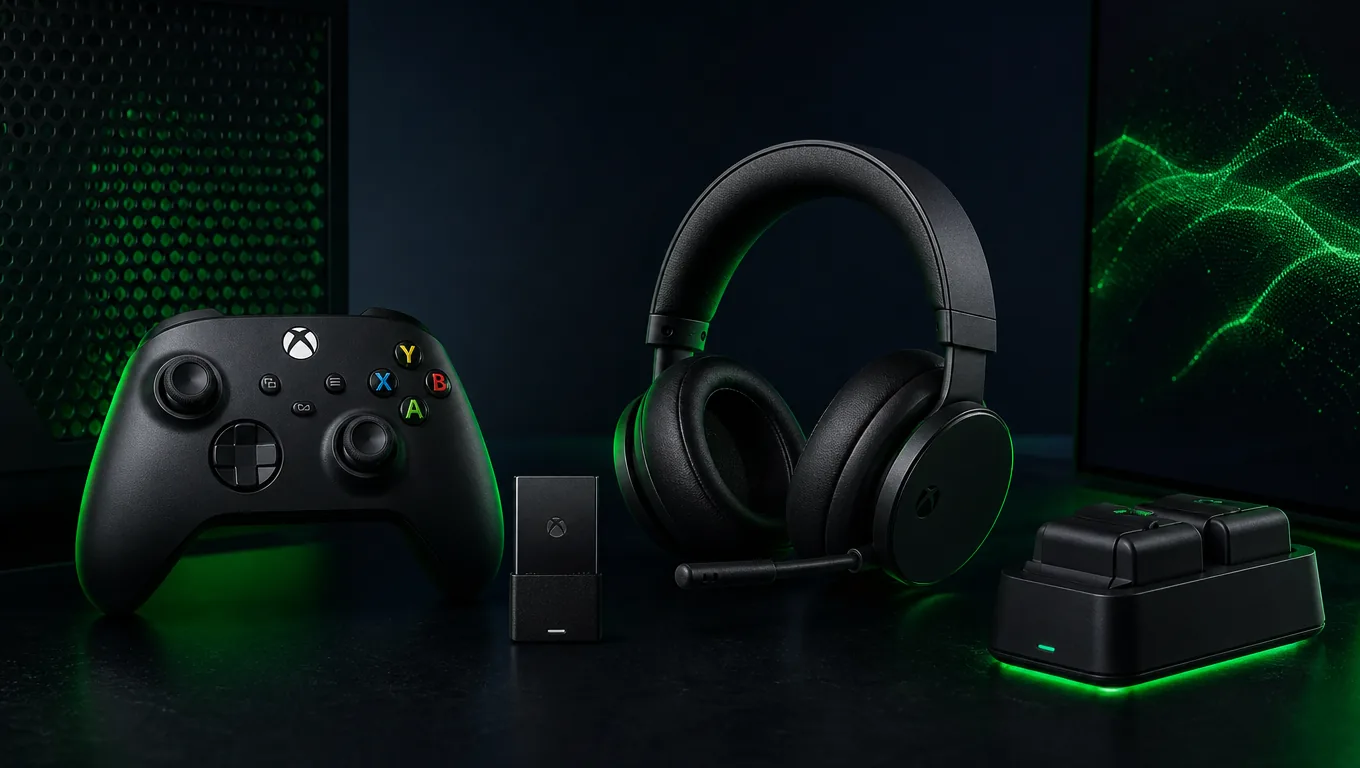
Arctis Nova 7X Gen 2
Wireless Xbox audio, Bluetooth mixing and long battery life in one headset.
Quick Comparison: Best Xbox Accessories in 2026
| Accessory | Best for | Key advantage | Main trade-off |
|---|---|---|---|
| WD_BLACK C50 2TB Expansion Card | Most Xbox owners | Plays optimized games directly | Costs more than USB storage |
| Xbox Wireless Controller | Everyday play | Native Xbox compatibility | Uses AA batteries by default |
| GameSir G7 SE | Budget competitive control | Hall Effect sticks and triggers | Wired only |
| Xbox Elite Series 2 | Premium customization | Profiles, paddles and trigger locks | High purchase price |
| Arctis Nova 7X Gen 2 | Wireless gaming audio | 2.4GHz plus Bluetooth mixing | Premium midrange pricing |
| Seagate 2TB Expansion Card | Large game libraries | Capacities up to 4TB | Large capacities are expensive |
| PowerA Dual Charging Station | Two-controller households | Two batteries and simple docking | Dedicated counter space required |
| 8BitDo Media Remote — Short Edition | Streaming and media use | Dedicated Xbox media controls | Infrared needs line of sight |
How we selected these products: We prioritized official Xbox compatibility, a clear use case, availability across major retailers, current-generation relevance and value compared with simpler alternatives. Price changes frequently, so check the current offer before buying.
1. WD_BLACK C50 2TB Storage Expansion Card
Bottom line: Choose the C50 when you want more storage without moving optimized games back and forth between drives.
The WD_BLACK C50 plugs into the dedicated expansion slot on Xbox Series X|S. Western Digital describes it as an officially licensed NVMe expansion card built around Xbox Velocity Architecture. That distinction matters: compatible expansion cards can store and play Xbox Series X|S optimized games directly while retaining features such as Quick Resume.
It is available in multiple capacities, including options up to 2TB. The best capacity depends on how many large games you keep installed. A smaller card is usually enough for a focused library, while 1TB or 2TB makes more sense for Game Pass users who rotate between many titles.
Advantages
- Officially licensed for Xbox Series X|S
- Plays optimized games directly
- Supports Quick Resume
- Compact plug-and-play installation
Limitations
- More expensive than a USB hard drive
- Only useful with compatible Xbox consoles
- High-capacity versions increase the total cost quickly
Best for: Players whose internal storage is regularly full and who do not want to transfer games before playing.
2. Xbox Wireless Controller
Bottom line: The standard Xbox Wireless Controller remains the straightforward choice for local multiplayer, a spare pad or gaming on Windows PC.
Microsoft gives the controller textured grips on the triggers, bumpers and rear case, along with a hybrid D-pad and dedicated Share button. It connects to Xbox consoles through Xbox Wireless and can switch to compatible Windows, Android and iOS devices through Bluetooth.
The main buying decision is power. The standard package uses AA batteries, which is convenient if you already use rechargeable cells but less convenient if you expect built-in charging. A rechargeable battery kit or charging station solves that problem.
Advantages
- Native Xbox compatibility
- Comfortable familiar layout
- Bluetooth support for PC and mobile
- Wide range of colors and editions
Limitations
- No built-in rechargeable battery
- No rear paddles or trigger stops
- Fewer advanced controls than premium pads
Best for: Most players who want reliable compatibility without paying for competitive features.
3. GameSir G7 SE Wired Controller
Bottom line: The G7 SE is a strong value choice for players who prefer anti-drift stick technology and do not mind a cable.
GameSir lists the G7 SE as compatible with Xbox Series X|S, Xbox One and Windows 10/11. Its Hall Effect sticks and Hall Effect triggers use magnetic sensing, reducing the physical contact associated with conventional potentiometer designs. Two mappable rear buttons add useful control without pushing the price into premium-controller territory.
The detachable three-metre USB-C cable is long enough for many desk and living-room setups. Because the controller is wired, there is no battery to charge and no wireless pairing to manage. The trade-off is obvious: cable routing matters, especially in a shared room.
Advantages
- Hall Effect sticks and triggers
- Two mappable rear buttons
- 3.5mm headset jack and microphone mute
- Software customization through GameSir Nexus
Limitations
- No wireless mode
- Membrane face buttons
- Cable may be inconvenient across a large room
Best for: Budget-conscious Xbox and PC players who value stick durability over wireless freedom.
4. Xbox Elite Wireless Controller Series 2
Bottom line: Buy the Elite Series 2 for customization and competitive control—not simply because it is the most expensive Microsoft controller.
The Elite Series 2 offers adjustable-tension thumbsticks, shorter hair-trigger locks, interchangeable components, wrap-around rubberized grip and custom button mapping through the Xbox Accessories app. It can store three custom profiles plus a default profile, letting players switch setups without rebuilding every configuration.
Microsoft lists up to 40 hours of rechargeable battery life, although actual use varies. The full package includes paddles, alternate thumbsticks, an additional D-pad, charging dock and carrying case. The lower-priced Core version retains the central controller features but includes fewer accessories.
Advantages
- Adjustable thumbstick tension
- Trigger locks and optional rear paddles
- Multiple onboard profiles
- Rechargeable battery and premium grip
Limitations
- Expensive for casual gaming
- Full and Core packages include different accessories
- Heavier than the standard controller
Best for: Competitive players who will genuinely use profiles, paddles and adjustable controls.
5. SteelSeries Arctis Nova 7X Wireless Gen 2
Bottom line: The Xbox version of the Nova 7 Gen 2 is ideal for players who want console audio and phone audio at the same time.
The Nova 7X Gen 2 connects through a USB-C wireless dongle and supports Xbox, PC, PlayStation, Switch, handhelds and other compatible devices. Its key advantage is simultaneous 2.4GHz and Bluetooth audio, allowing game sound from the console while music, calls or chat comes from a phone.
SteelSeries lists more than 50 hours of battery life and fast charging that can provide approximately six hours of play from a 15-minute charge. The companion app adds game-specific audio presets, while the retractable microphone keeps the headset usable outside multiplayer sessions.
Advantages
- Xbox-compatible low-latency wireless
- Simultaneous Bluetooth audio
- 50+ hour listed battery life
- Multi-platform USB-C compatibility
Limitations
- Costs considerably more than a wired headset
- Many app features may be unnecessary for casual users
- Correct Xbox variant must be selected
Best for: Players who switch platforms or mix Xbox audio with Discord, calls or music from a phone.
6. Seagate 2TB Storage Expansion Card for Xbox Series X|S
Bottom line: Choose Seagate when the available capacity and retailer price fit your library better than the WD_BLACK alternative.
Seagate developed its expansion card in collaboration with Xbox. It plugs into the console expansion slot and is designed to match the internal SSD experience, including direct play of optimized titles, fast loading and Quick Resume. Current capacity options reach up to 4TB, making it particularly relevant to players with very large digital libraries.
A standard USB SSD or hard drive is cheaper per gigabyte and remains useful as a storage vault, but most Xbox Series X|S optimized titles must be transferred back to internal or expansion-card storage before play. That is the convenience premium you are paying to avoid.
Advantages
- Plays optimized games directly
- Plug-and-play installation
- Portable between compatible consoles
- Capacity choices up to 4TB
Limitations
- Premium cost per gigabyte
- Exclusive to Xbox Series X|S
- Largest capacities may exceed many buyers’ budgets
Best for: Game Pass subscribers and digital buyers maintaining a large installed library.
7. PowerA Dual Charging Station for Xbox
Bottom line: The PowerA Dual Charging Station is most useful in households that regularly rotate between two wireless controllers.
This officially licensed station includes two rechargeable battery packs and four charge-through battery doors: two for Xbox Series X|S controllers and two for Xbox One controllers. The dock uses its own AC adapter, preserving the console USB ports, while status lights show when each controller is charging.
A charging dock is not essential for everyone. One controller plus quality rechargeable AA batteries can be simpler and more flexible. The PowerA charging station earns its place when two controllers need a predictable home and you prefer dropping them onto a dock after every session.
Advantages
- Charges two controllers
- Includes two rechargeable batteries
- Separate AC power preserves USB ports
- Compatible battery doors included
Limitations
- Uses desk or entertainment-unit space
- Less flexible than removable AA rechargeables
- Controllers must use the supplied battery doors
Best for: Couples, families and local multiplayer setups with two frequently used controllers.
8. 8BitDo Media Remote — Short Edition for Xbox
Bottom line: The 8BitDo remote makes sense when an Xbox is also the main Netflix, YouTube or media player in the room.
The remote is designed for Xbox Series X, Series S and Xbox One, with dedicated Xbox and media-navigation buttons. It uses infrared connectivity and two AAA batteries. Short and long versions are available, depending on whether you want only essential navigation or a wider set of controls.
TV volume control depends on the television and HDMI-CEC configuration, so buyers should confirm their display supports the required device-control features. A controller can already navigate every media app, but a lightweight remote is easier for viewers who do not game.
Advantages
- Dedicated Xbox media controls
- Simple navigation for non-gamers
- Short and long versions available
- Compatible with Series X, Series S and Xbox One
Limitations
- Infrared requires line of sight
- TV control depends on HDMI-CEC support
- Unnecessary if the console is rarely used for media
Best for: Living rooms where the Xbox doubles as a streaming and entertainment device.
How to Choose the Right Xbox Accessory
Fix the biggest limitation first
If the console is constantly full, storage delivers more value than a premium controller. If teammates cannot hear you, replace the headset before buying decorative accessories. The best first purchase is the one that removes a recurring frustration.
Check exact Xbox compatibility
USB-C does not automatically mean full Xbox compatibility. Wireless headsets and third-party controllers often have platform-specific versions. Look for explicit Xbox Series X|S support or the Designed for Xbox mark before ordering.
Compare the total cost
A cheaper controller may need batteries, while a premium bundle may include a case, charging dock and replacement components. Storage should be compared by capacity and convenience, not headline price alone.
Avoid accessories that solve imaginary problems
Cooling stands, decorative fan attachments and unlicensed storage devices frequently promise more than they deliver. Xbox consoles already manage their own cooling. Buy third-party cooling hardware only when there is a verified use case—not because an advertisement implies the console is unsafe without it.
Frequently Asked Questions
Can Xbox Series X|S optimized games run from a USB hard drive?
Most optimized games need to run from the internal SSD or a compatible storage expansion card. A USB drive remains useful for storing those games and playing many backward-compatible Xbox One, Xbox 360 and original Xbox titles.
Is the Xbox Elite Series 2 worth buying?
It is worth considering when you will use its rear paddles, profiles, adjustable thumbsticks and trigger locks. The standard Xbox controller is the better-value choice for casual play and local multiplayer.
Should I buy WD_BLACK C50 or Seagate expansion storage?
Both are designed to provide the expansion-card functionality needed for direct play of optimized games. Compare the capacity you need, current retailer price, warranty terms and availability. There is no benefit in paying more for unused capacity.
Does every wireless gaming headset work with Xbox?
No. Xbox wireless support must be stated explicitly. Some headsets work with PlayStation, PC and Switch but not Xbox through their wireless dongle. Select the Xbox-specific model where required.
Are rechargeable AA batteries better than a charging dock?
Rechargeable AA batteries are flexible and easy to replace. A dock is more convenient when two controllers need a fixed charging location. Either option can be sensible depending on the household.
Final Recommendation
For most Xbox Series X|S owners, storage is the upgrade with the clearest everyday benefit. Start with the WD_BLACK C50 or a suitably priced Seagate Expansion Card when space is tight. Add the Xbox Wireless Controller for multiplayer, choose the GameSir G7 SE for affordable wired control, and consider the Arctis Nova 7X Gen 2 when wireless audio and multi-device flexibility matter.
Skip products that do not solve a real problem. A smaller number of carefully selected accessories creates a better setup than a shelf full of unnecessary add-ons.