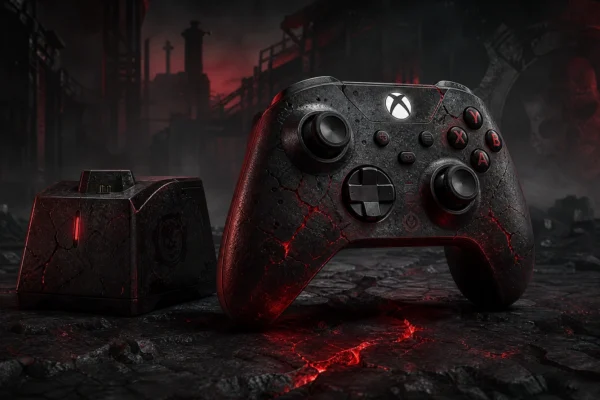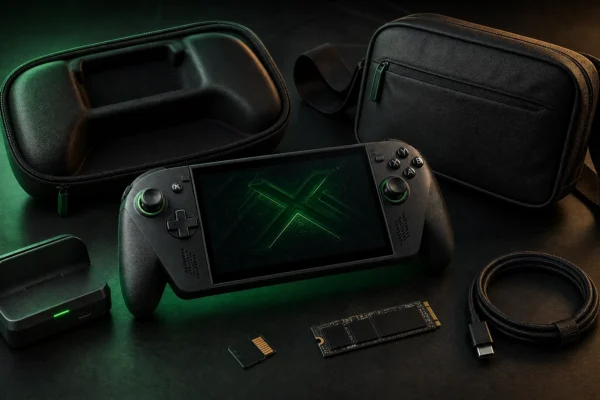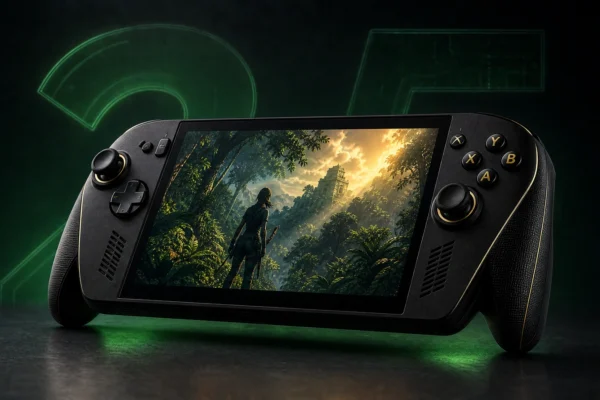

Xbox’s 25th Anniversary hardware is easy to treat as a collector catalogue, but the better buying question is simpler: which anniversary accessories actually improve a gaming setup? The strongest options are not all for the same type of player. One charges an Xbox controller, one turns a phone into a portable gaming controller, one is a premium PC mouse, and one is designed to carry a handheld gaming setup.
This guide focuses on four officially announced Designed for Xbox 25th Anniversary products: the 8BitDo Ultimate Charging Dock X25 Special Edition, Backbone Pro Xbox 25th Anniversary Edition, Razer Basilisk V3 Pro 35K Xbox 25 Anniversary Edition, and PowerA Xbox Sling Bag. Recommendations are research-based using current official product information; we do not claim hands-on testing.
If you are looking for the anniversary console itself, start with our Xbox 25th Anniversary Collection guide. For broader, non-collector gear, see our best Xbox accessories.
Quick picks
| Accessory | Best for | Current official price* | Key consideration |
|---|---|---|---|
| 8BitDo Ultimate Charging Dock X25 | Xbox controller charging | $39.99 | Best practical match for an X25 controller |
| Backbone Pro Xbox 25th Anniversary Edition | Mobile, cloud and remote play | $159.99 | Blind-box colorway; final-sale terms apply |
| Razer Basilisk V3 Pro 35K X25 | PC gaming / supported mouse-and-keyboard games | $179.99 | Premium mouse, not an Xbox controller replacement |
| PowerA Xbox Sling Bag | ROG Xbox Ally travel setup | $39.99 | Useful mainly for handheld owners |
*Prices were checked against official manufacturer pages during preparation and can change before publication. Confirm current pricing and availability before ordering.
1. 8BitDo Ultimate Charging Dock X25: best practical X25 accessory
The 8BitDo Ultimate Charging Dock for Xbox Controllers — X25 Special Edition is the easiest anniversary accessory to justify on function alone. It is officially licensed by Xbox, uses the translucent OG Green look, and is designed to pair visually with the Xbox Wireless Controller X25 Special Edition.
8BitDo says the dock works with Xbox Series X|S and Xbox One wireless controllers. The battery pack sits inside the controller and charges when the controller is placed on the dock. That makes it more convenient than repeatedly removing AA batteries if you prefer a fixed charging location.
The official 8BitDo store lists the X25 dock at $39.99 with shipping scheduled from October 20, 2026. Because the exact affiliate listing still needs verification, we are not substituting an unrelated Amazon product.
Check the official 8BitDo X25 charging dock page.
2. Backbone Pro Xbox 25th Anniversary Edition: best for portable Xbox play
The Backbone Pro Xbox 25th Anniversary Edition is the most useful anniversary product here for players who regularly use Xbox Cloud Gaming or Remote Play on a phone. Backbone gives it full-size ALPS thumbsticks, rear buttons, USB-C connectivity and Bluetooth support, with up to 40 hours of wireless battery life according to the manufacturer.
The unusual part is the collector format. It ships in three heritage colors — Crystal Clear, Iconic Blue and Bold Orange — but each unit is sold as a blind box. You cannot select the color before purchase. Backbone also states that the anniversary edition is final sale except where local law requires otherwise.
At the current official price of $159.99, this is not a casual impulse buy. It makes sense if you already want a premium mobile controller and also value the anniversary design. If your phone gaming is occasional, the standard Backbone lineup may offer better value.
Check the official Backbone Pro Xbox 25th Anniversary Edition.
3. Razer Basilisk V3 Pro 35K X25: best for a matching PC setup
The Razer Basilisk V3 Pro 35K — Xbox 25 Anniversary Edition is a premium wireless gaming mouse dressed in Xbox anniversary styling. Razer lists a Focus Pro 35K optical sensor, customizable HyperScroll Tilt Wheel and up to 140 hours of HyperSpeed Wireless battery life.
This accessory needs the clearest compatibility explanation: it is primarily a gaming mouse. It is useful for PC players and for Xbox titles that support mouse-and-keyboard input, but it does not replace an Xbox controller for games that require controller input.
The official X25 edition is listed at $179.99 with an October 20 shipping date. That premium only makes sense if you actually want a high-end Basilisk-class mouse. Do not buy it solely because the green shell matches an X25 console.
For alternatives across different budgets and grip styles, see our best gaming mouse guide.
Check the official Razer X25 mouse listing.
4. PowerA Xbox Sling Bag: best for ROG Xbox Ally travel
The PowerA Xbox Sling Bag is the least universal product in this roundup, but it solves a real problem for the right buyer. PowerA designed it around ROG Xbox Ally handhelds, with four compartments for a handheld, headset, controller, phone and smaller accessories.
The bag uses 25th Anniversary branding, green zipper details, a padded handheld compartment and an internal cable pass-through. PowerA currently lists it at $39.99.
This is a poor buy if you only own a Series X25 console at home. It becomes useful when you also travel with a ROG Xbox Ally-class handheld and want one organized bag rather than several small cases.
Check the official PowerA Xbox Sling Bag.
Which X25 accessory should you buy first?
- Own the X25 controller? Start with the 8BitDo charging dock because it adds day-to-day convenience and matches the anniversary look.
- Play Xbox remotely on your phone? The Backbone Pro is the most functional portable option.
- Game on PC as well as Xbox? Consider the Razer mouse only if you already want a premium ergonomic gaming mouse.
- Travel with a ROG Xbox Ally? The PowerA sling bag is the most purpose-built carrying option.
- Only want anniversary collectibles? Buy selectively. Limited styling does not automatically make every accessory useful.
What we would skip
We would skip buying anniversary gear merely to complete a color theme. The mouse is expensive if you do not need a high-end mouse, the Backbone is unnecessary if you rarely play on mobile devices, and the sling bag has little value without a compatible handheld setup.
The better approach is to buy the accessory that fixes a real problem first, then treat the anniversary design as a bonus. That keeps the collection useful instead of turning it into shelf-filling merchandise.
Frequently asked questions
Are the Xbox 25th Anniversary accessories officially licensed?
The products in this guide were announced as part of the Designed for Xbox 25th Anniversary collection. Individual product pages should still be checked before purchase for current compatibility and regional availability.
Does the 8BitDo X25 charging dock work with normal Xbox controllers?
8BitDo states that the dock is compatible with Xbox Series X|S and Xbox One wireless controllers, not only the X25 controller.
Can I choose the Backbone Pro anniversary color?
No. Backbone sells the anniversary edition as a blind box with equal chances of Crystal Clear, Iconic Blue or Bold Orange, so the color cannot be selected in advance.
Is the X25 Razer mouse required for Xbox Series X25?
No. It is an optional gaming mouse. It is most relevant to PC gaming and to Xbox games that explicitly support mouse-and-keyboard input.
Final verdict
The 8BitDo X25 charging dock is the most broadly useful anniversary accessory for an Xbox controller owner. The Backbone Pro is the better choice for mobile and cloud gaming, the Razer Basilisk makes sense for a premium PC setup, and the PowerA sling bag is specifically useful for handheld travel.
Our rule for this collection is simple: buy function first, anniversary styling second. That produces a better setup and reduces the chance of paying collector prices for gear you will rarely use.