We may earn a commission if you buy through our links, at no additional cost to you. This does not affect our independent recommendations.
Practical Gaming Setup Upgrades That Deliver Real Value
A better gaming setup does not require replacing everything at once. The most worthwhile upgrades usually improve control, comfort, responsiveness or the overall atmosphere of your gaming space.
Below are three practical options to consider when upgrading on a realistic budget. Before purchasing, confirm compatibility, warranty coverage and current pricing.
Recommended Gaming Setup Upgrades
Redragon K671 Wired Mechanical Gaming Keyboard
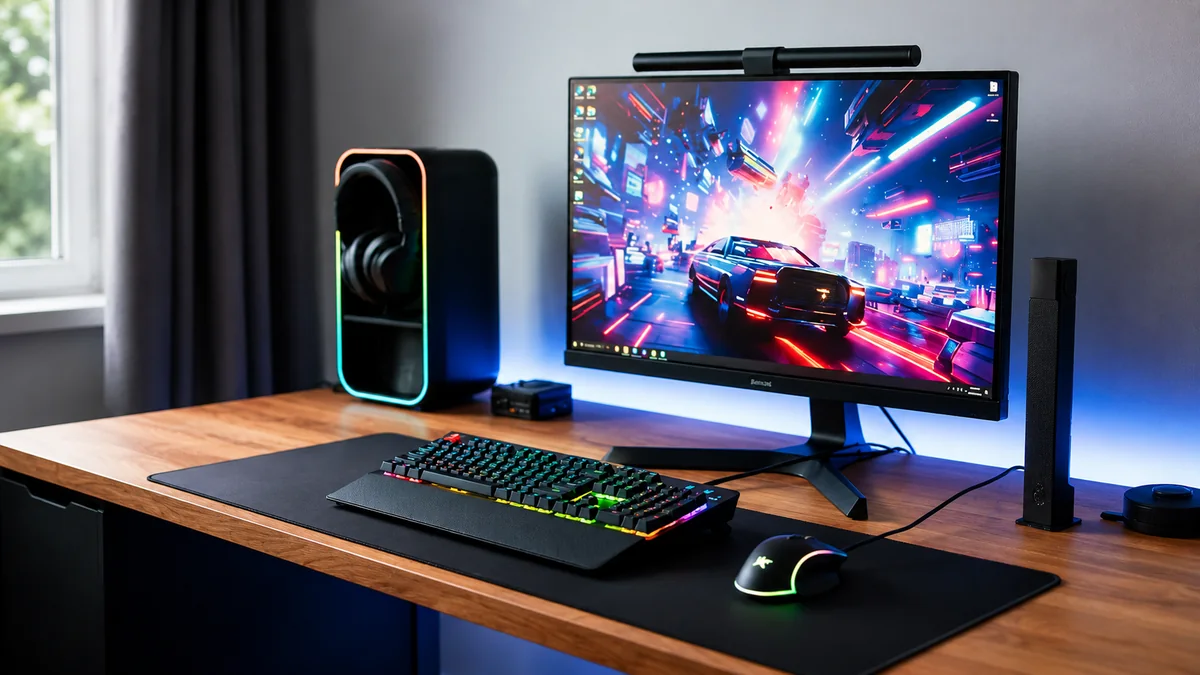
Based on manufacturer specifications and comparative research, the Redragon K671 is a practical full-size mechanical keyboard for PC gamers moving from a basic office keyboard. It combines wired responsiveness, hot-swappable red switches and programmable controls at a generally accessible position in the mechanical-keyboard market.
- Best for: PC gamers who want a full-size wired mechanical keyboard with a number pad.
- Why it stands out: A 104-key layout, hot-swappable red switches, multiple lighting modes, programmable keys and full-key anti-ghosting.
- Connection: Wired USB-C connectivity avoids battery charging and wireless-latency concerns.
- Consider: Its full-size layout occupies more desk space than a compact or tenkeyless keyboard, and linear red switches may not suit users who prefer tactile feedback.
- Check before buying: Keyboard layout, operating-system and software compatibility, included accessories, regional warranty and return policy.
HyperX Pulsefire Haste 2 Core Wireless Gaming Mouse
Based on manufacturer specifications and comparative research, this lightweight dual-wireless mouse is a practical upgrade for gamers who want cleaner cable management, flexible movement and responsive everyday control.
- Best for: PC and console gamers seeking a lightweight wireless gaming mouse.
- Why it stands out: Approximately 70g operating weight, 2.4GHz wireless and Bluetooth connectivity, with adjustable sensitivity up to 12,000 DPI.
- Consider: It uses a replaceable AAA battery rather than an integrated rechargeable battery, and its symmetrical shape may not suit every grip style.
- Check before buying: Device compatibility, colour, included receiver, regional warranty and return policy.
Smart LED Strip Lights
LED strip lights are an affordable visual upgrade for desks, monitor backs and entertainment units. They can add ambient lighting without taking up additional desk space.
- Best for: gamers improving the atmosphere of a bedroom, desk or console setup.
- Compare: strip length, brightness, app controls, colour effects and mounting quality.
- Check before buying: power requirements, surface adhesion and compatibility with your preferred smart-home platform.
What to Compare Before Buying
- Compatibility: Confirm that the product works with your PC, console, operating system or smart-home platform.
- Warranty and returns: Prefer listings with clear warranty terms and a practical return window.
- Independent feedback: Review recent buyer comments for recurring quality, software or durability concerns.
- Total cost: Account for required batteries, adapters, receivers, mounts or replacement accessories.
- Daily usability: Choose the option that will be simple and comfortable to use regularly.
Final Verdict
Start with the upgrade that solves the biggest weakness in your current setup. A keyboard or mouse can improve control and comfort, while LED lighting mainly improves presentation and ambience.
When two products appear similar, favour the option with clearer compatibility information, stronger warranty terms and fewer unnecessary complications.